Your fridge, watched all night
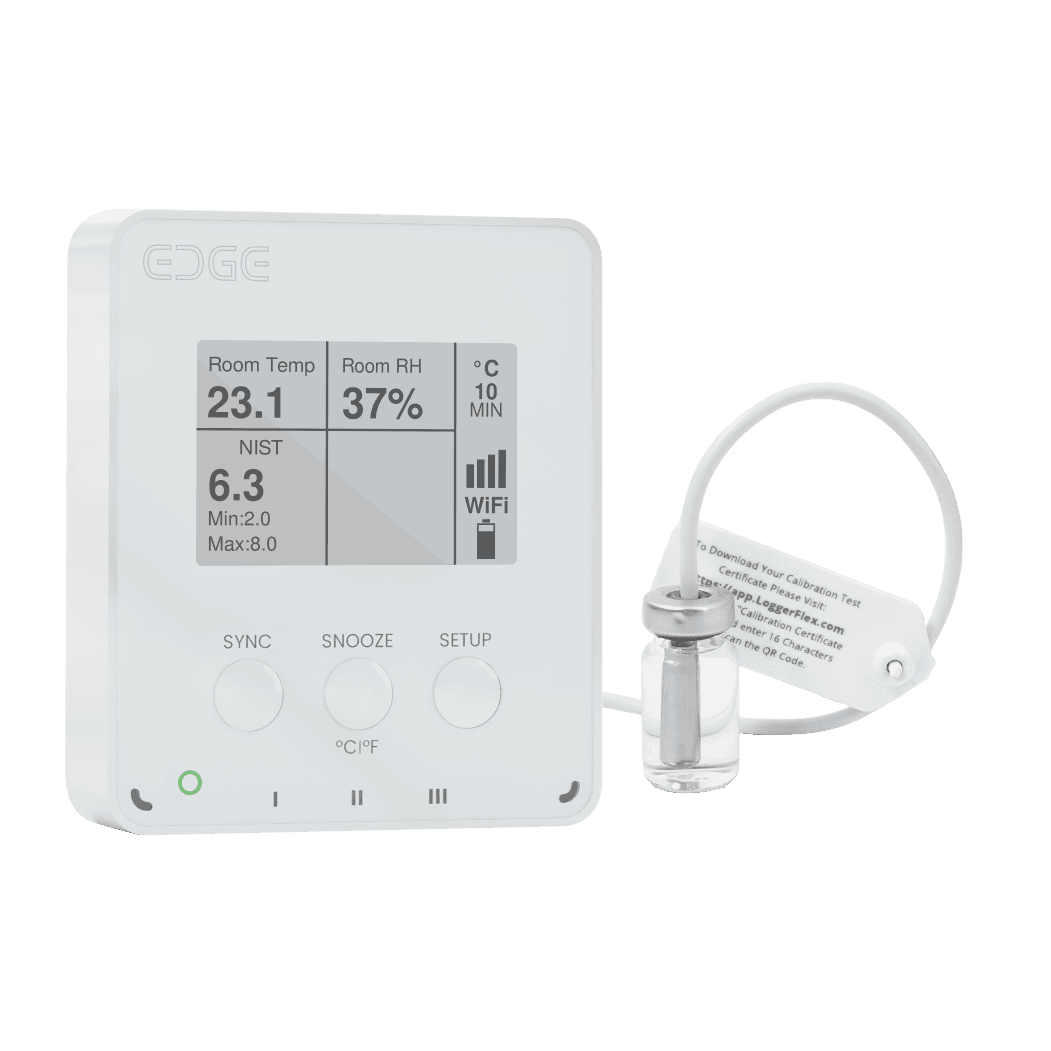
EDGE Pharma WiFi checks your fridge every few minutes and sends its alarms over your pharmacy’s own WiFi. If it goes too warm or too cold for longer than the delay you set, it sends you an alarm.
This guide covers both WiFi models: EDGE Pharma One WiFi (one probe, one fridge) and EDGE Pharma Two WiFi (two probes, so one logger can watch two fridges).
Two clocks inside your logger
One clock writes down the temperature. The other sends it to the cloud. They run separately.
Recording Intervalhow often it saves a temperature
Leave it at 10 minutes. That is 144 saves a day, kept inside the logger.
Syncing Intervalhow often it phones home
Leave it at 24 hours. This sets when your chart fills in. Alarms do not wait for it.
Alarms jump the queue
Your logger does not sit on bad news until the next sync. It sends the alarm straight away.
Power messages jump the queue too
No internet? Still recording.
If the WiFi drops, the logger keeps writing temperatures in its own memory. When WiFi returns, it sends everything.
Plug it in, sync faster
Your logger runs on four AA batteries. It behaves a little differently while it is plugged in.
What changes
What does not change
Look for the bolt
What your WiFi needs
When the power goes out
A power cut is when a fridge is most at risk. A logger plugged into USB-C keeps working, and it tries to tell you.
It keeps recording
It tells you quickly
You are told twice
Whether it reaches you depends on how the logger gets online
The honest truth about WiFi
Who hears about it
Texts need two things
What to do about it
It watches itself too
A logger that has gone quiet is no use. Two things are checked for you.
Low battery
Missed check-in
Two kinds of alarm
One rings at the first bad reading. The other waits to see if the problem is real.
Rings the moment one reading goes out of range. Very safe. Noisy when the door opens often.
Rings only if the fridge stays out of range for the whole 15 minutes. A quick door opening stays quiet.
One delay covers both directions
Change your alarm settings
Four steps. About two minutes. You only do this once.
01. Pick your fridge
Sign in at app.maxlinc.com. Click the card with your fridge’s name on it.
18 hours Ago
TEMP I
4.6 °C
Ambient Temp
20.4 °C
18 hours Ago
TEMP I
5.1 °C
Ambient Temp
20.4 °C
02. Open Settings
A row of buttons appears. Click the gear, the first button in the row.
No gear?
03. Type your two limits
Scroll to “Alarm Settings and Measurement Units”. Find your temperature card. Type 2 under Below and 8 under Above. Card set to °F? Type 36 and 46 instead.
Alarm Settings and Measurement Units
Title
Send alarm if Below ▾
Send alarm if Above ▴
Title
Send alarm if Below ▾
Send alarm if Above ▴
Which card do I fill in?
The second probe port
04. Pick the delay, then Save
Set “Alarm Trigger Delay” to “If persist more than 15 min”. Turn Send Alarms on. Click Save.
Send Alarms
OFFONNo Connection Alarm
OFFONAudible Alarm
OFFAlarm Trigger Delay
If persist more than 15 minAlarm Trigger Rule
AllAnyGive it time
Who gets the message
Two ways to hear nothing
01. Open the fridge’s settings
Same gear as before. Scroll to the section headed “Access and Ownership”. Find the “Share access” card and click “View and Add”.
02. Pick a level, add an email
Choose an “Access level”, type their “Email”, then click Save.
Share access
Access level
Who gets the alarm
Who can change settings
No account yet?
Sharing needs Premium
Your own alarm settings
Limits belong to the fridge. How you are told belongs to you, and you set it once.
Receive Alarms by
To get texts
To get calls
This is per person, not per fridge
Email and push are free
Starting credit: about $3.70
Topping up
Dates and times
Sign out to see it
Measurement units
The best numbers to use
Three kinds of fridge. Copy the column that matches yours.
Vaccine fridge
- Send alarm if Below
- 2 °C (36 °F)
- Send alarm if Above
- 8 °C (46 °F)
- Alarm Trigger Delay
- If persist more than 15 minMaxLinc advice, not a published rule
- Recording Interval
- 10 MinutesMaxLinc advice, not a published rule
- Syncing Interval
- 24 HoursMaxLinc advice, not a published rule
- Alarm Trigger Rule
- Any
- Send Alarms
- On
- No Connection Alarm
- On
Medicine fridge
- Send alarm if Below
- 2 °C (36 °F)
- Send alarm if Above
- 8 °C (46 °F)
- Alarm Trigger Delay
- If persist more than 30 minMaxLinc advice, not a published rule
- Recording Interval
- 10 MinutesMaxLinc advice, not a published rule
- Syncing Interval
- 24 HoursMaxLinc advice, not a published rule
- Alarm Trigger Rule
- Any
- Send Alarms
- On
- No Connection Alarm
- On
Freezer(with EDGE Thermo)
- Send alarm if Below
- leave empty
- Send alarm if Above
- −15 °C (5 °F)
- Alarm Trigger Delay
- If persist more than 1 hrMaxLinc advice, not a published rule
- Recording Interval
- 10 MinutesMaxLinc advice, not a published rule
- Syncing Interval
- 24 HoursMaxLinc advice, not a published rule
- Alarm Trigger Rule
- Any
- Send Alarms
- On
- No Connection Alarm
- On
Blue dot = MaxLinc advice, not a published rule. The 2 °C and 8 °C limits are the standard vaccine storage range. The intervals and delays are ours; the other rows are simply how the app’s switches should be set.
One thing to check
Set the fridge to 5
Freezers: ask first
What “No Connection Alarm” does
Right way, wrong way
Do this · Limits
2 and 8. The real safe range.
Not this · Limits
0 and 10. Vaccines spoil before it rings.
Do this · Delay
15 minutes. Ignores a door, catches a failure.
Not this · Delay
Six hours. A dead fridge stays quiet half a day.
Do this · Syncing
Leave it at 24 hours. Alarms still come at once.
Not this · Syncing
Flight mode. Nothing reaches you at all.
Get your Min/Max report
Proof for your inspector, in about twenty seconds.
01. Click the page-and-pen button
Select your fridge card. In the row of buttons, click the page-with-a-pen icon, just after the share arrows. It opens Advanced Reports.
02. Pick the first report
Under “Select Report Type”, click Create on “Min/ Max/ Average daily report”. You get one row per day.
Min/ Max/ Average daily report
Summarizes daily minimum, maximum, and average readings for each parameter.
Vaccine Temperature Report
Tracks vaccine storage between pharmacy opening and closing times.
03. Choose dates, then Generate Report
Set the From and To dates. Click Generate Report. Your report opens on screen.
Min/ Max/ Average daily report
From
Time
Date
To
Time
Date
04. Download it
In “Download this Report”, click the green square for Excel or the red square for PDF.
Download this Report
| Day | Date | Daily Avg. | Max Temp | Min Temp |
|---|---|---|---|---|
| Wednesday | 01/07/2026 | 4.8 | 6.1 | 3.9 |
| Thursday | 02/07/2026 | 5.0 | 6.4 | 4.1 |
| Friday | 03/07/2026 | 4.7 | 5.9 | 3.8 |
The vaccine version
Two things to know
Do I have Premium on this logger?
What is MKT?
What free gives you
Every logger comes with its first year of Premium, starting the day you register it.
The free Standard tier keeps
- Live temperatures, the dashboard and the fridge card.
- Every alarm: email, text, phone call and push.
- Charts and records going back 45 days.
- The “Detailed readouts” report (your raw readings, to download to Excel), for those same 45 days.
Premium adds
- Your full history, back past 45 days.
- Every other report, including Min/Max and the vaccine report.
- Automatic reports, sent to you on a schedule.
- Sharing a fridge with someone new, and handing one over.
It is per logger
Nothing fails quietly
Where to manage it
After the first free year
Questions pharmacists ask
- What alarm limits should a vaccine fridge use?
- Set Send alarm if Below to 2 °C (36 °F) and Send alarm if Above to 8 °C (46 °F). That matches the standard 2 to 8 °C vaccine storage range. Do not narrow it: your alarm should ring at the same point your health authority counts as a reportable excursion. If your health authority asks for different numbers, theirs win.
- Why not set the alarm to 3 and 7 for an early warning?
- Because the event you must report is defined at 2 and 8. An alarm inside the range would ring on temperatures that are still perfectly safe, and your records would stop matching the event your health authority asks about. Build your safety margin into the fridge thermostat instead, by setting it near 5 °C (41 °F).
- Does a long Syncing Interval delay my alarm?
- No. A long syncing interval slows your chart, not your alarm. Ordinary readings wait for the next sync to fill in your chart; a reading that goes out of range does not wait for that schedule. What does hold an alarm back is the Alarm Trigger Delay you chose: on “If persist more than 15 min” the logger has to see 15 minutes out of range before it sends anything.
- How do I get a minimum and maximum temperature report?
- Select your fridge on the dashboard, click the Advanced Reports button, then click Create on Min/ Max/ Average daily report. Choose your From and To dates, click Generate Report, and download it as Excel or PDF. That report always includes a minimum and a maximum for every day. It needs Premium on that logger.
- Does the Vaccine Temperature Report show min and max?
- Only if you tick the Min/Max checkbox yourself. It starts unticked, so a report run with the default settings contains opening and closing temperatures but no daily minimum or maximum.
- Will I be told if the power goes out?
- If the logger runs on USB-C power, yes: it switches to its AA batteries and reports the cut at its next recording (within 10 minutes at a 10-minute Recording Interval, within about a minute if it records every minute), then sends a second message when power comes back. Both go to everyone the logger is shared with, by push notification, email and text message, each person on the channels turned on in their own profile; neither comes as a phone call. The important catch: a WiFi logger sends nothing while your router is down, and a mains cut usually takes the router down too, so in practice the message you receive is the one sent when power comes back. A cellular logger has its own connection and is not affected.
- Does plugging the logger into USB-C make alarms arrive faster?
- No. While it is plugged in, the logger syncs its saved readings every 15 minutes instead of once a day, so your chart fills in through the day. Alarm speed is unchanged, because a reading outside your limits never waits for the next sync anyway.
- Which colleagues get the alarms when I share a fridge?
- Everyone you share it with gets alarms except the level called Silent Viewer (No Alarm), which sees exactly what a Viewer sees but stays quiet. You, as the owner, are always on the list. Each colleague chooses their own email, text, call and push settings on their own profile page.
- What do I lose when the free year of Premium ends?
- Nothing that protects stock. Live temperatures and every alarm keep working on the free Standard tier, and charts and records go back 45 days. What you lose is reporting: only the Detailed readouts report (your raw readings, for Excel) still opens, and only for those 45 days. Every other report and every automatic report is locked, and clicking one tells you Premium is needed rather than returning an empty file. If you had an automatic report scheduled, the system emails you to say your access has expired. The diamond on the logger’s card disappears when it moves to the free tier.
- What do text and phone-call alarms cost?
- Email alarms to everyone you share the logger with, and push notifications, are always free. Texts and phone calls draw on a credit balance held per logger. Every logger arrives with about $3.70 of credit, enough for 250 texts at about 1.5¢ each or 100 phone calls at about 3.7¢ each in Canada and the US. You can buy more credit online from My Profile.
- What does Premium cost after the free year?
- Premium is about $17.78 per logger per year (about $1.48 a month), billed annually. It is bought per logger, not per pharmacy and not per person, and you manage it from My Profile under Access and Credit Management.
- Why did my new alarm setting not take effect straight away?
- Your logger picks up new settings the next time it syncs. To apply them immediately, press the SYNC button on the logger. Until then its card shows Unsynced settings and the old limits and delay are still running on the device.
Still stuck? Ask us.
Email our team at Support@MaxLinc.com or call 1-888-365-8880. A real person answers.